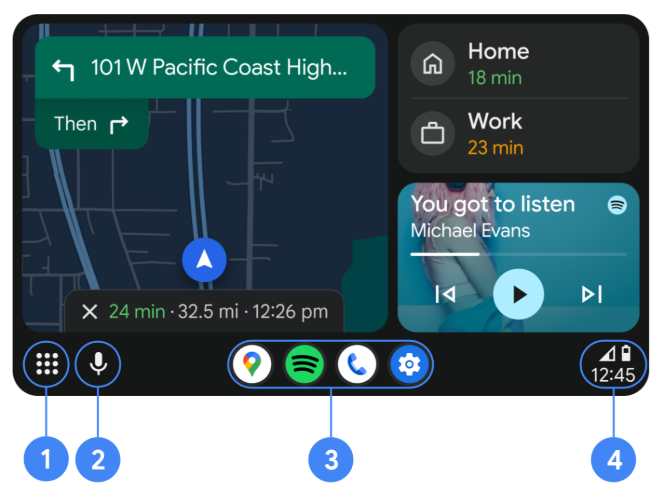
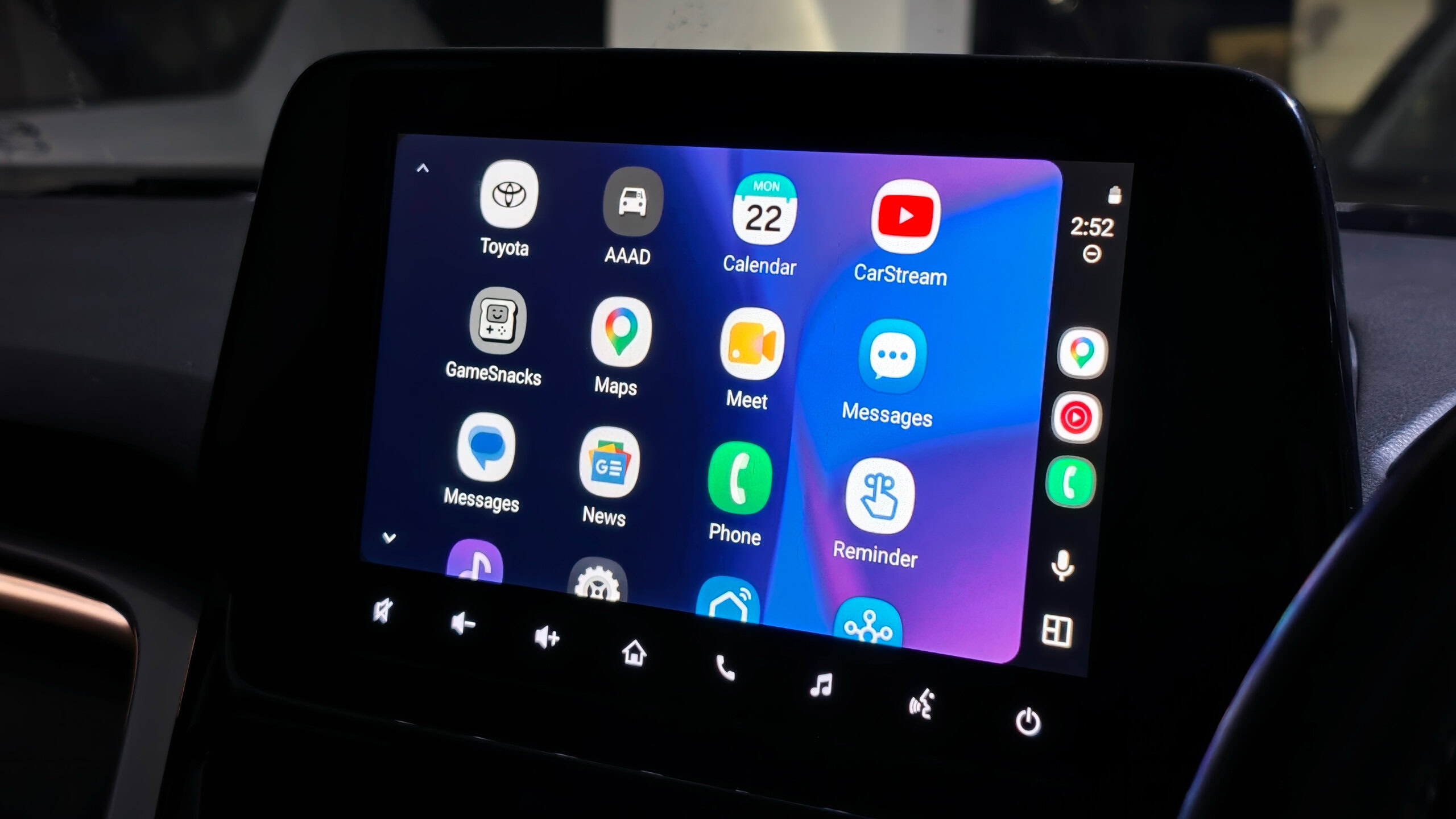
Android Auto keeps things simple by design — maps, music, calls, messages. That’s the official setup. But buried inside the app is a developer mode that Google doesn’t advertise, and once unlocked, it opens a path to sideloading third-party apps — including YouTube players, full web browsers, and phone screen mirroring — directly onto your car’s infotainment screen.
No rooting required. The key tool is Android Auto Apps Downloader (AAAD), an unofficial app distributed via GitHub that has been active since 2021. It works by copying Android’s app installer signatures, allowing sideloaded apps to pass Android Auto’s verification checks as if they were Play Store downloads. The free version limits you to one download every 30 days; the Pro version is a one-time $4 payment for unlimited installs.
There’s a catch: Google periodically patches sideloading methods with Android updates, meaning apps can stop working anytime. And there’s a reason Google restricts this in the first place — watching video or browsing the web while driving is dangerous. These tools exist, but only make sense when the car is parked.
How Android Auto Sideloading Works — 3 Steps
Tap each step to walk through the process. No root access needed.
Unlock Developer Mode on Your Android Phone Required first
This is standard Android procedure and takes about 30 seconds. You’re enabling the underlying developer layer that Android Auto’s own developer mode depends on.
- 1Open your phone’s Settings app
- 2Go to About Phone
- 3Find Build Number and tap it seven times in a row
- 4A toast notification will confirm: “Developer options have been enabled”
Note: Known compatibility issues exist on Google Pixel, OnePlus, Realme, and Oppo devices. The AAAD developer provides a separate fix for those.
Unlock Developer Mode Inside Android Auto Enable Unknown Sources
Android Auto has its own separate developer mode, hidden inside its app settings. This is where you turn on the “Unknown Sources” toggle — the switch that tells Android Auto to accept apps from outside the Play Store.
- 1Go to Settings → Apps → Android Auto
- 2Tap “Additional settings in the app”
- 3Scroll to the bottom — find the Version and permissions info section
- 4Tap that section ten times until a developer mode toast appears
- 5Tap the three-dot menu (top right) → Developer Settings
- 6Scroll to bottom and enable “Unknown Sources”
Install AAAD and Sideload Apps Get the downloader
AAAD (Android Auto Apps Downloader) is the unofficial storefront for third-party Android Auto apps. Download the APK only from the developer’s official GitHub releases page — not from third-party mirrors. Current version as of June 2026 is v2.8.5.
- 1Download the AAAD APK from GitHub (shmykelsa/AAAD) — releases page
- 2Allow “Install unknown apps” for your browser/file manager when prompted
- 3Open AAAD, go through setup — grant permissions including notifications and unknown app installation
- 4When asked, disable Google Play Protect temporarily (it flags unsigned APKs)
- 5Select your app (e.g. CarStream, Fermata Auto) and install
- 6In Android Auto: Settings → Customize Launcher → check the new app to add it
Third-Party Apps You Can Sideload on Android Auto
CarStream
YouTube directly on your car’s screen. Lets you sign in with a Google account to access YouTube Premium features. Works when the car is in motion — but only use it parked.
Fermata Auto
All-in-one multimedia player — YouTube streaming, local video playback, IPTV via Xtream accounts, web browser, and screen mirroring in a single app. Requires multiple restricted permissions on setup.
AAMirror / Screen2Auto
Mirrors your entire Android phone screen onto the car’s infotainment display. Useful for playing locally saved videos or accessing any app from your phone. Requires “Display Over Other Apps” permission.
AA Browser
A full web browser with URL bar, forward/back navigation, and compatibility with most websites. Can be used to log into streaming services like Netflix or Prime Video directly from the car screen.
Google’s own YouTube is coming to Android Auto natively in 2026 — but only when parked, only in HD at up to 60fps, and only in first-wave vehicles from BMW, Ford, Genesis, Hyundai, Kia, Mahindra, Mercedes-Benz, Renault, Škoda, Tata, and Volvo. Once you start driving, it switches to audio-only. The official rollout, announced at Google I/O 2026, is expected before year’s end. That makes third-party apps like CarStream a stopgap — they work on any vehicle today, but carry no Google safety guardrails.
What Can Go Wrong — And Why This Isn’t for Everyone
Google patches these tools regularly. Any Android system update can break AAAD or sideloaded apps without warning. There’s a roughly 50/50 chance a recent update already blocked things on your device.
No security screening. Sideloaded apps bypass Google Play Protect, meaning they have not been vetted for malware. Download only from the AAAD GitHub repository — not mirrors.
Real distraction risk. Video and browser apps in this list can technically run while driving. That is the reason Google blocks them. Keep these apps for parked use only.
Device compatibility is patchy. Google Pixel, OnePlus, Realme, and Oppo devices have known issues. The AAAD developer publishes fixes, but compatibility isn’t guaranteed on any device.
A factory reset wipes the AAAD Pro licence. Samsung devices are noted as particularly affected. Re-licensing requires contacting AAAD support.
Not worth it for most people. As Android Authority’s own reviewer concluded after testing the whole setup: “Most people are perfectly fine using Android Auto exactly the way Google intended.”
This piece covered the hidden developer mode in Android Auto, the three-step process for unlocking it, and the AAAD tool used to sideload third-party apps including CarStream, Fermata Auto, AA Browser, and screen-mirroring apps. The risks of Google patches, device compatibility, and in-car distraction were also covered, alongside Google’s own plan to bring native YouTube support to select vehicles before the end of 2026.
For those curious about what’s possible within Android’s broader ecosystem, recent developments around AI-powered security threats and AI model access changes in 2026 offer further context on the shifting tech landscape. The Android Auto sideloading scene is one small example of users pushing hardware and software beyond their intended defaults — a pattern that continues across consumer electronics, including shifts in how game hardware reaches end-of-life and how GPU infrastructure is monetised.