Amazon Fire TV Blocks Piracy Apps: Two-Stage Crackdown Explained
Amazon rolled out anti-piracy software updates across Fire TV devices in late 2025, targeting sideloaded apps that provide access to pirated content
Amazon Fire TV devices have become targets for modifications that enable free access to premium content. Starting in November 2025, Amazon implemented a two-stage blocking system through software updates that detect and disable apps identified as providing access to unlicensed content. The company blocks these apps by scanning their package names against a blacklist, though workarounds involving app cloning tools have emerged. This crackdown comes as privacy concerns drive changes across digital platforms, with Amazon citing both intellectual property protection and security risks like malware exposure.
Nov 2025
Blocking System Deployed
2 Stages
Warning → Full Block
Package
Detection by App Name
VegaOS
New System (4K Select Only)
Crackdown Timeline
November 2025
Amazon began rolling out anti-piracy software updates to Fire TV devices. Users opening flagged apps saw warning screens with “Launch Anyway” or “Uninstall” options, allowing temporary bypass.
December 2025
Amazon removed the “Launch Anyway” button, replacing it with “Dismiss.” Apps identified as providing pirated content now cannot be opened, displaying full-screen warnings with no bypass option.
Late 2025
App cloning tools gained popularity as workarounds, allowing users to modify package names and evade detection. Amazon responded by removing prominent cloning apps from the Amazon Appstore.
September 2025 Onward
Amazon released the Fire TV Stick 4K Select running VegaOS, a Linux-based system that doesn’t support Android app sideloading. VegaOS is currently exclusive to this model and isn’t compatible with Android apps, creating a closed ecosystem similar to other locked platforms.
How Amazon Detects and Blocks Apps
Amazon uses package name scanning to identify apps on its blacklist. The system works in two stages, escalating from warnings to complete blocks.
1
Package Scan on Launch
When you open an app, Fire OS checks the app’s package name against Amazon’s database of flagged identifiers linked to piracy apps. Similar detection methods are used in security screening across platforms.
2
Stage 1: Warning Screen
Initially, users saw a warning with two options: “Launch Anyway” (allowing temporary access) or “Uninstall.” This gave users the choice to proceed at their own risk.
3
Stage 2: Full Block
Amazon replaced “Launch Anyway” with “Dismiss,” eliminating the bypass option. Apps matching the blacklist now cannot be opened, only uninstalled.
4
Workaround Attempts
Users have bypassed blocks using app cloning tools that modify package names. Reports indicate 70% success rates with cloning, though Amazon actively counters these methods by blacklisting cloning tools.
⚠️
Actual Warning Message Displayed
“Warning – One or more apps on your device have been identified as using or providing access to unlicensed content, including this app, and will be disabled. To remove this app now, select ‘Uninstall’ below.”
Note: Earlier versions included a “Launch Anyway” button alongside “Uninstall.” Current versions only show “Dismiss” and “Uninstall” options.
Amazon’s Official Statement
“Piracy is illegal and we’ve always worked to block it from our app store. We’ll now block apps identified as providing access to pirated content, including those downloaded from outside our app store. This builds on our ongoing efforts to support creators and protect customers, as piracy can also expose users to malware, viruses and fraud.” This approach aligns with broader platform security initiatives across app ecosystems.
What You Need to Know
Which Fire TV devices are affected by the blocking?
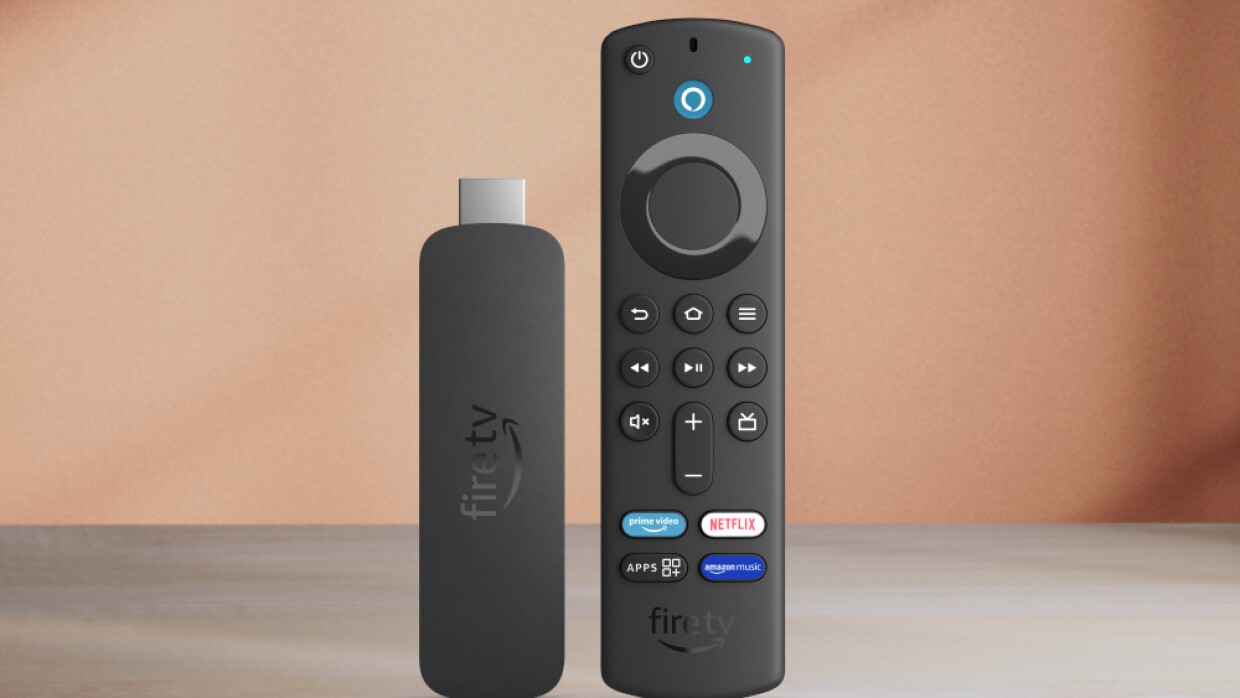
The blocking affects Fire TV devices that support sideloading, including Fire TV Stick 4K Max, Fire TV Stick 4K, Fire TV Stick HD, Fire TV Cubes, and Fire TV Edition smart TVs running Fire OS (Android-based). The Fire TV Stick 4K Select, released in September 2025, runs VegaOS and doesn’t support sideloading Android apps at all. Apps downloaded from the official Amazon Appstore are not affected.
Can users still bypass the blocking system?
Some users have successfully bypassed blocks using app cloning tools that modify the package name of flagged apps, with reported success rates around 70%. However, Amazon has removed popular cloning apps from its App Store and continues updating its blacklist. The initial “Launch Anyway” button that allowed easy bypass was removed in December 2025.
What is VegaOS and how does it prevent sideloading?
VegaOS is Amazon’s new Linux-based operating system that debuted on the Fire TV Stick 4K Select in September 2025. Unlike Fire OS (which is based on Android), VegaOS doesn’t support Android app compatibility or sideloading. The system is currently exclusive to the 4K Select model. It creates a closed ecosystem similar to Apple’s approach with its devices, though most Fire TV devices still run the Android-based Fire OS.
Are legitimate apps like Kodi and Plex blocked?
No. Legitimate open-source media players like Kodi, Plex, and Jellyfin are not affected by Amazon’s blocking. These apps are legal frameworks that require users to add their own content sources. Amazon targets apps that provide immediate access to pirated content without configuration. Kodi installation videos from January 2026 confirm it still works on Fire TV devices.
What streaming services does Amazon recommend?
Amazon encourages users to access content through licensed services available in the Amazon Appstore, including Netflix, Disney+, Hulu, Prime Video, Max, Paramount+, and others. These apps provide legal access to movies, TV shows, and live content with proper licensing agreements. Fire TV also integrates with Alexa for voice control across these services.
How does package name detection work?
Every Android app has a unique package name identifier (like “com.example.appname”). Amazon maintains a database of package names associated with piracy apps. When an app launches, Fire OS checks its package name against this blacklist. If there’s a match, the blocking screen appears. This method is why modifying package names through cloning can temporarily evade detection until Amazon adds the new name to its blacklist.
Amazon’s two-stage blocking system was discussed, starting with warning screens featuring “Launch Anyway” options in November 2025, then progressing to full blocks with only “Dismiss” options in December 2025. The package name detection method was covered, along with workaround attempts using app cloning tools. VegaOS on the Fire TV Stick 4K Select was mentioned as a system that prevents sideloading entirely. The information addressed how legitimate media players like Kodi remain unaffected while piracy-focused apps are targeted.