
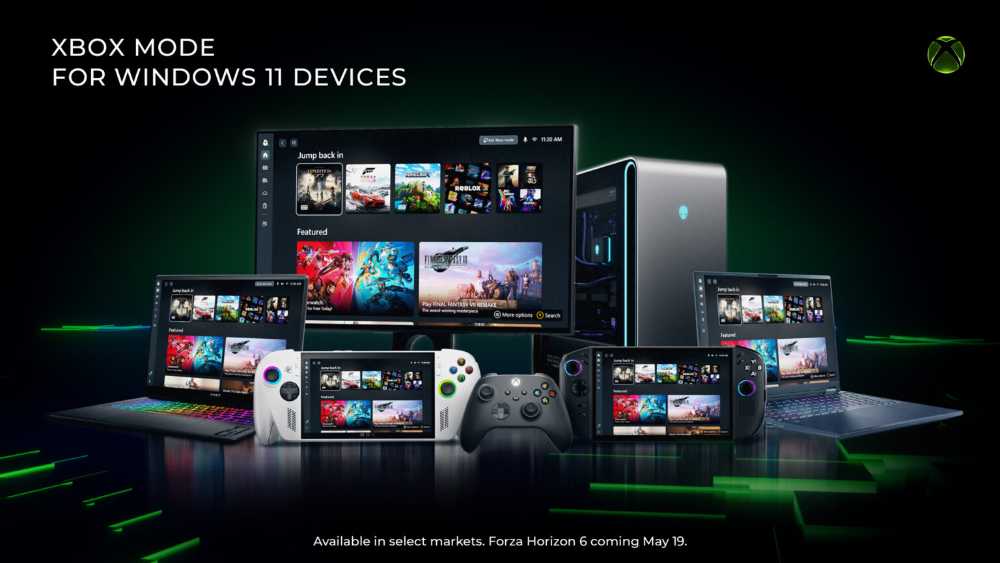
Your Windows 11 PC Just Got an Xbox Living Room — Here’s What Changed
Microsoft began rolling out Xbox Mode on April 30, 2026 — a full-screen, controller-first interface that turns any Windows 11 laptop, desktop, or tablet into something that feels a lot more like a console. It’s optional, it’s switchable, and it pulls your entire game library into one place regardless of which storefront you bought from.
What Xbox Mode Actually Does
Xbox Mode isn’t a separate operating system — it runs as an optional layer on top of Windows 11. You can flip between it and the regular desktop at any point. Tap each tab below to see what’s included.
One Library, All Your Storefronts
Xbox Mode aggregates games installed from Xbox Game Pass and other leading PC storefronts into a single scrollable library. Titles from Steam show up alongside Game Pass downloads — no manual imports needed for supported storefronts.
The library view puts recently played titles front and centre, with the full catalog a few scrolls away.
Built for a Gamepad, Not a Mouse
The entire interface is designed around controller navigation. Browse, select, and launch games using a gamepad — no keyboard or mouse required. A new Gamepad Cursor feature also makes navigating other Windows apps easier when you’re still holding a controller.
According to Microsoft, the interface minimises background distractions and keeps the focus on your games.
Switch Back to Windows Instantly
Xbox Mode doesn’t lock you in. You can jump back to the standard Windows 11 desktop whenever you need to — for a browser tab, a work file, or anything else — and return to Xbox Mode just as easily.
Microsoft describes it as an optional layer: the full flexibility of Windows is still accessible underneath.
ROG Xbox Ally Gets Extra Updates
Alongside the broad Windows 11 rollout, Microsoft pushed a separate update specifically for ROG Xbox Ally handhelds. This includes a preview of Auto SR — an upscaling tool aimed at making games look sharper at higher frame rates.
Other Ally-specific additions include improved docking (gameplay instantly shifts to a TV when docked, following your display settings), updated controller pairing tools, and enhanced vibration feedback.
Which Devices Can Run Xbox Mode
Any device running Windows 11 is in scope. The rollout started in select markets on April 30 and continues expanding over the following weeks. Handhelds had access earlier via the Windows Insider program.
Xbox Mode: From Handheld Exclusive to Every Windows 11 PC
Xbox Mode didn’t start on desktops. It began as a feature built around handheld gaming and gradually expanded — shaped by feedback from the Windows Insider community before reaching the broader Windows 11 base.
“Since first introducing Xbox mode, formerly known as ‘full screen experience’, on Windows handhelds, we’ve been listening closely to player feedback and continuing to evolve the experience across devices. Those learnings directly shaped Xbox mode on Windows 11 PCs.”
— Microsoft, Xbox Wire, April 30, 2026How to Get Xbox Mode on Your Windows 11 PC
Xbox Mode arrives via Windows Update in a phased rollout. To get access as soon as it reaches your device, Microsoft recommends enabling the early update setting below. Note that Microsoft has not specified a timeline for full global availability.
Where Xbox Mode Fits in the Bigger Picture
Xbox Mode puts Microsoft in more direct competition with Valve’s Steam Big Picture mode — Valve’s own controller-friendly, full-screen launcher that has been a staple of living-room PC gaming setups. The key difference is platform: Xbox Mode runs natively on Windows, giving it access to the full catalogue of Windows-compatible games without requiring compatibility layers.
The April 2026 update also came packaged with a broader April Xbox Update, which added the ability to manually add favourite games on PC, new console customisation options, and other platform-level changes. For context on Microsoft’s broader platform partnerships, see our coverage of the OpenAI–Microsoft amended partnership and the latest on GPT-5.5’s release and API pricing.
What Was Covered
This piece covered Microsoft’s rollout of Xbox Mode to Windows 11 PCs, beginning April 30, 2026. The feature was discussed across its key functions — unified game library, controller-first navigation, desktop switching, and the phased Windows Update delivery method. The path from its origins as the ROG Xbox Ally’s “Full Screen Experience” through to its current availability on laptops, desktops, and tablets was also covered. The ROG Xbox Ally-specific update bundle — including Auto SR preview, docking improvements, enhanced vibration, and Gamepad Cursor — was included as a separate but concurrent announcement from Microsoft.
For related tech news, see our coverage on Apple App Store subscription changes and Starlink FCC complaints on rural broadband.