
iOS 26.4.1 Fixes iCloud CloudKit Sync Bug Apple Only Described as “Bug Fixes” — Every App Was Affected

GigaNectar Team

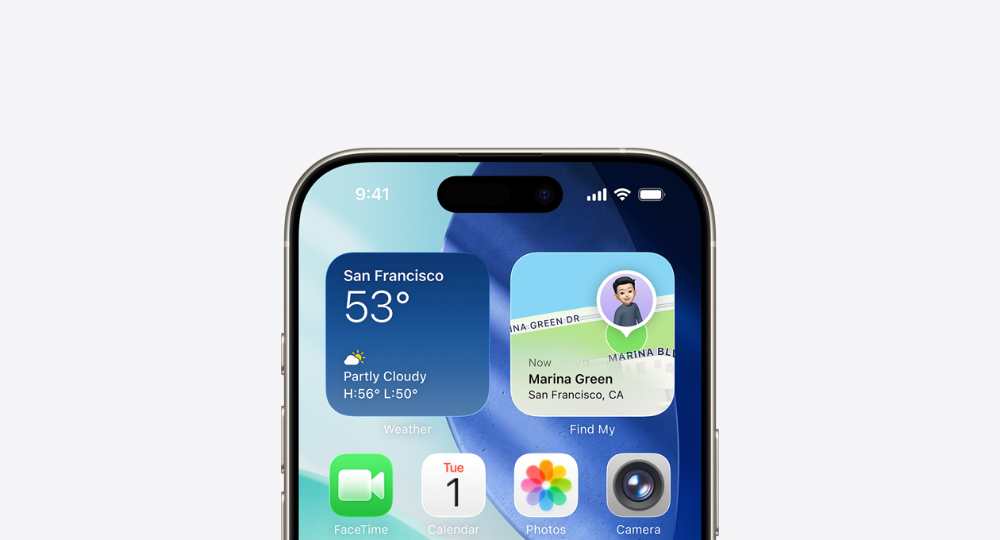
Apple iOS 26 Liquid Glass interface design displayed on an iPhone screen, showing translucent UI elements with dynamic light refraction across the home screen and system controls
⚡ Update Now

Apple’s Silent Patch: What iOS 26.4.1 Actually Fixed

Apple released iOS 26.4.1 and iPadOS 26.4.1 on 8 April 2026 — about two weeks after iOS 26.4 shipped. The official release notes just said “bug fixes,” but a thread on the Apple Developer Forums (via 9to5Mac) revealed what was really going on: a CloudKit regression in iOS 26.4 had quietly broken iCloud data sync across iPhones and iPads. Changes saved on one device weren’t reaching others — and Apple’s own apps were caught in the middle. The fix covers both consumer iPhones and enterprise-managed devices. macOS 26.4.1 followed a day later with a separate Wi-Fi fix for new M5 MacBooks.

Three Releases. Three Different Fixes.
iOS
26.4.1
Fixes a CloudKit bug that stopped iPhones running iOS 26.4 from receiving iCloud change notifications — breaking data sync for all apps using CloudKit, including Apple Passwords (shared passwords feature) and third-party apps like Drafts.
CloudKit Sync Fix
iPhone users on iOS 26.4.0 · No CVE entries published
iPadOS
26.4.1
Same CloudKit iCloud sync regression present in iPadOS 26.4.0 — changes made on other devices were not automatically delivered to iPad. Now resolved with this update.
iCloud Sync Fix
iPad users on iPadOS 26.4.0 · No CVE entries published
macOS Tahoe
26.4.1
Resolves an issue where M5 MacBook Air and MacBook Pro models (M5 Pro / M5 Max) failed to join 802.1X Wi-Fi networks when content filter extensions were active — a common setup in enterprise and education environments.
Wi-Fi Fix (M5 Macs)
M5 MacBook Air · M5 Pro / M5 Max MacBook Pro · No CVE entries
How the CloudKit Bug Actually Worked
1
Normal Operation (Before iOS 26.4)
When you save data on a Mac or another device, iCloud sends a silent push notification to your iPhone prompting the relevant app to fetch updated data. This is CloudKit push notification — the backbone of real-time iCloud sync.
2
The iOS 26.4 Regression
iOS 26.4 introduced a bug that broke how the OS processed those background notifications. iPhones and iPads running 26.4 stopped receiving the “new data available” signal from iCloud — so apps never knew to pull down the latest version. Data wasn’t lost, but it wasn’t arriving either.
What Users Saw
Passwords you saved on a Mac didn’t appear on iPhone. Notes updated on one device stayed stale on another. The only workaround was manually switching away from the app and back, which forced a manual sync poll. Developers could do nothing except file bug reports on the Apple Developer Forums and wait.
Why macOS 26.4 Wasn’t Affected
The same iCloud regression did not appear in macOS Tahoe 26.4. This meant changes went from iPhone/iPad to Mac normally — but the reverse path (Mac to iPhone/iPad) was broken. macOS 26.4.1 was still released separately to fix the M5 MacBook Wi-Fi issue.
iOS 26.4.1 — The Fix
Multiple developers on the Apple Developer Forums confirmed that iOS 26.4.1 and iPadOS 26.4.1 restore normal CloudKit push notification delivery. The fix was also already present in the iOS 26.5 beta, which released earlier. Apple published no CVE entries for this update.
Apps Hit by the CloudKit Bug

Any app using Apple’s CloudKit framework was affected. These were among the confirmed cases.

🔑
Apple Passwords
First-party · Shared passwords broken
📓
Drafts
Third-party · Drafts not arriving on iPhone
📔
Apple Journal
First-party · Mac entries delayed on iPhone
✏️
Ulysses
Third-party · CloudKit framework
🐻
Bear
Third-party · CloudKit framework
☁️
All CloudKit Apps
Any app using CloudKit was potentially affected
Is Your Device Still Affected?
Select your device to see what you need to do
Tap your current device type below
How to Install the Update
📱 iPhone / iPad
Open SettingsGeneralSoftware Update

Tap Update Now to install iOS 26.4.1 or iPadOS 26.4.1.
Target version: 26.4.1 · No security fixes listed
💻 Mac (M5 models)
Open System SettingsGeneralSoftware Update

Install macOS Tahoe 26.4.1. A restart is required.
Fixes 802.1X Wi-Fi on M5 MacBook Air · M5 Pro · M5 Max
🧪 Already on Beta
Users running the iOS 26.5 beta are not affected — the CloudKit fix was already included in that build.
No action required if you’re on 26.5 beta

iOS 26.4.1 and iPadOS 26.4.1 were released on 8 April 2026 to resolve the CloudKit push notification regression introduced in iOS 26.4. The iCloud sync disruption covered both first-party apps — including Apple Passwords — and third-party apps built on CloudKit. The update also brought Stolen Device Protection to enterprise-managed devices. macOS Tahoe 26.4.1 was released the following day for a separate 802.1X Wi-Fi issue specific to M5 MacBook Air and MacBook Pro models. No CVE security entries were published for any of the three updates. The iCloud sync fix had already been confirmed in the iOS 26.5 beta prior to the 26.4.1 patch.

For more on Apple’s software ecosystem and recent developments, see our coverage of Apple’s 50th anniversary and Siri’s AI direction. You can also read about Google Android’s $135 million settlement and Samsung Messages being discontinued in July 2026.


Leave a comment